 WebMail
  LiveChat
  Support

BEGINNER’S GUIDE: HOW TO PUBLISH A WEBSITE IN 2021 (STEP BY STEP) Beginner’s Guide: How to Publish a Website in 2021 (Step by Step)
Do you want to publish a website but are worried about technical stuff?
It is a misconception that you need to be a web designer or developer to code a website. There are many tools that make it super easy to put your website online without writing any code.
In this article, we’ll show you how to easily publish a website with step by step instructions.

Using a Website Builder to Publish a Website
Most beginners feel that they need to learn programming and web design skills to publish their websites.
It was true in the early days of the internet. At that time, businesses hired web developers or they had to learn coding skills to publish a website on their own.
However, things have changed over the years and technical skills are no longer a hurdle in publishing your content on the web.
These days, beginners, businesses, and even developers use website builders like WordPress to easily publish websites.
More than 69% of all websites on the internet are built using a website builder or CMS platform. This means, even developers don’t need to write code from scratch to publish a website.
These platforms allow anyone in the world to easily publish a website and put it on the internet. We’ll show you the easiest and most popular way to publish your website (no coding required).
1. Publish a Website with WordPress
WordPress is the most popular website builder on the market with the slogan ‘Democratize Publishing’. It is a free (as in freedom) and open-source software that anyone can use to build any type of website.
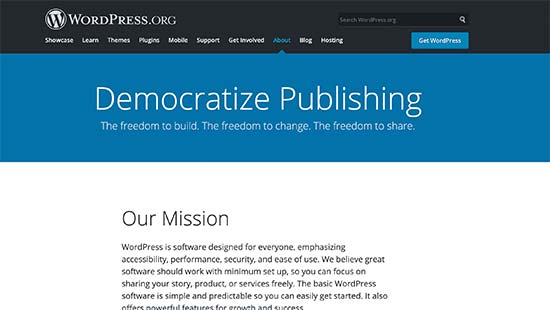
Over 42% of all websites on the internet are powered by WordPress.
To get started with WordPress, you’ll need a domain name (e.g. wpbeginner.com) and web hosting (this is where your website files are stored).
We recommend using Bluehost. They’re offering WPBeginner users a free domain name and a generous 60% discount on hosting ($2.75/month).
If you want to try an alternative, then we recommend SiteGround or any of these top WordPress hosting providers.
Next, you’ll need to install WordPress. We have a step by step WordPress installation tutorial that’ll walk you through the installation process.
Once you have installed WordPress, you’ll see the WordPress dashboard which looks like this.
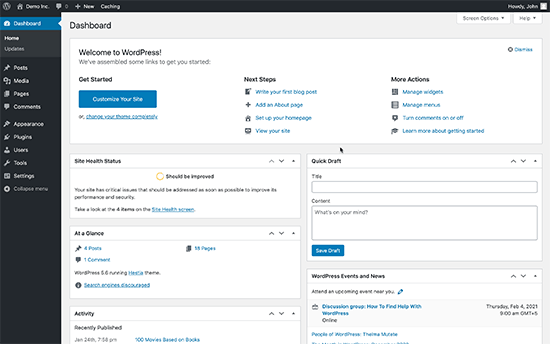
Next, you need to install and activate the SeedProd plugin. For more details, see our step by step guide on how to install a WordPress plugin.
SeedProd is the best WordPress page builder plugin. It allows you to quickly publish professionally designed web pages for your website using a simple drag and drop user interface.
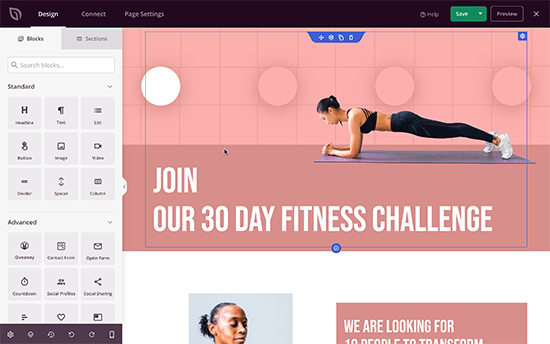
It is super easy to use and allows you to quickly publish your website with professional designs that are already optimized for sales, conversions, and SEO.
Alternatives to SeedProd
There are several popular page builder tools for WordPress. You can use any of the following to publish your website without any coding or design skills.
- Beaver Builder – A drag and drop WordPress website builder with advanced theme customizations
- Divi Builder – Another beginner friendly WordPress theme builder with tons of ready made templates
- Elementor – A powerful page builder tool for WordPress suitable for both beginners and developers
We believe WordPress is the most beginner-friendly platform to publish your website.
It is widely used and trusted by millions of beginners as well as big name brands like Microsoft, Facebook, and even US government uses WordPress to power the The White House website.
The best part about WordPress is that there are over 58,000 WordPress plugins that let you add just about any functionality to your website such as online store (eCommerce), contact form, SEO features, and more.
You can think of plugins like addons or apps for your iPhone. They make it easy for even first time users to configure and publish a website that search engines love and is easy to use for your customers.
2. Publish a Website with Web.com Website Builder
Web.com is one of the oldest and most well-recognized website publishing tool for small businesses.
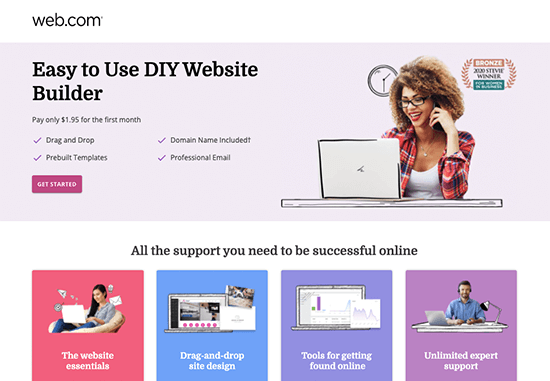
If you don’t want to go through the trouble of purchasing a web hosting service, domain name, and installing a web application software, then Web.com website builder would be the right tool for you.
It is a drag & drop website publishing tool that allows you to simply follow a step by step wizard to publish a website. You’ll answer some questions, and it will generate ideal layouts for you complete with the dummy content.
They offer hundreds of professionally designed templates that you can choose from.
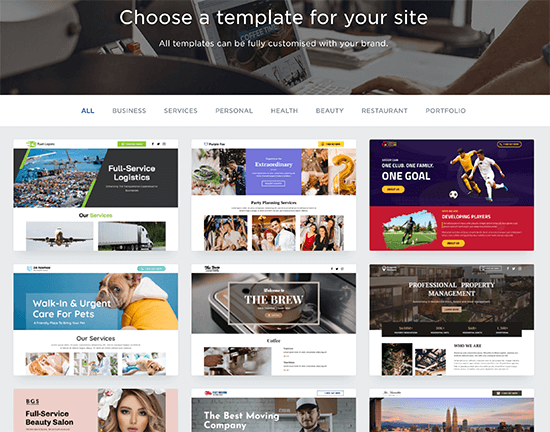
You can customize your website design in any way you want using a simple drag and drop interface. Once you’re done, simply click the Publish button.

The best part about using Web.com website builder is that you don’t need to worry about hosting or updates. You also get reliable support via chat, phone, and email.


